

Cyberattacks in 2026 move faster, read more convincingly, and lean harder on trusted identities than they did a year ago. Microsoft’s 2026 Digital Defense Report, released October 1, puts numbers to that shift: phishing rose from 7% to 23% of initial access in Microsoft’s incident response cases, and new vulnerabilities are now weaponized in well under a day.
The report covers July 2025 through June 2026 and draws on Microsoft’s threat intelligence, incident response work, and Defender telemetry. To close out Cybersecurity Awareness Month and our weekly Sparta Tech Bytes series, we pulled out the five findings that matter most for mid-sized organizations, and what we would do about each one in the next 90 days.
1. Phishing climbed back to the top of the list
In Microsoft’s incident response engagements, phishing’s share of initial access was over 3 times higher in the 2026 reporting period than the year before. Exploits against public-facing applications rose too, from 15% to 24%.
A separate data set from Microsoft Defender Experts points the same direction. User execution, meaning a person running something an attacker handed them, accounted for 30% of observed initial access. Valid accounts, meaning attackers signing in with real credentials, accounted for another 20%.
AI is a big reason phishing works better than it used to. In Microsoft’s words, “Mass customization through AI lets every phishing attack become targeted and personalized.” The typos and awkward phrasing people were trained to watch for are disappearing.
The fake CAPTCHA problem
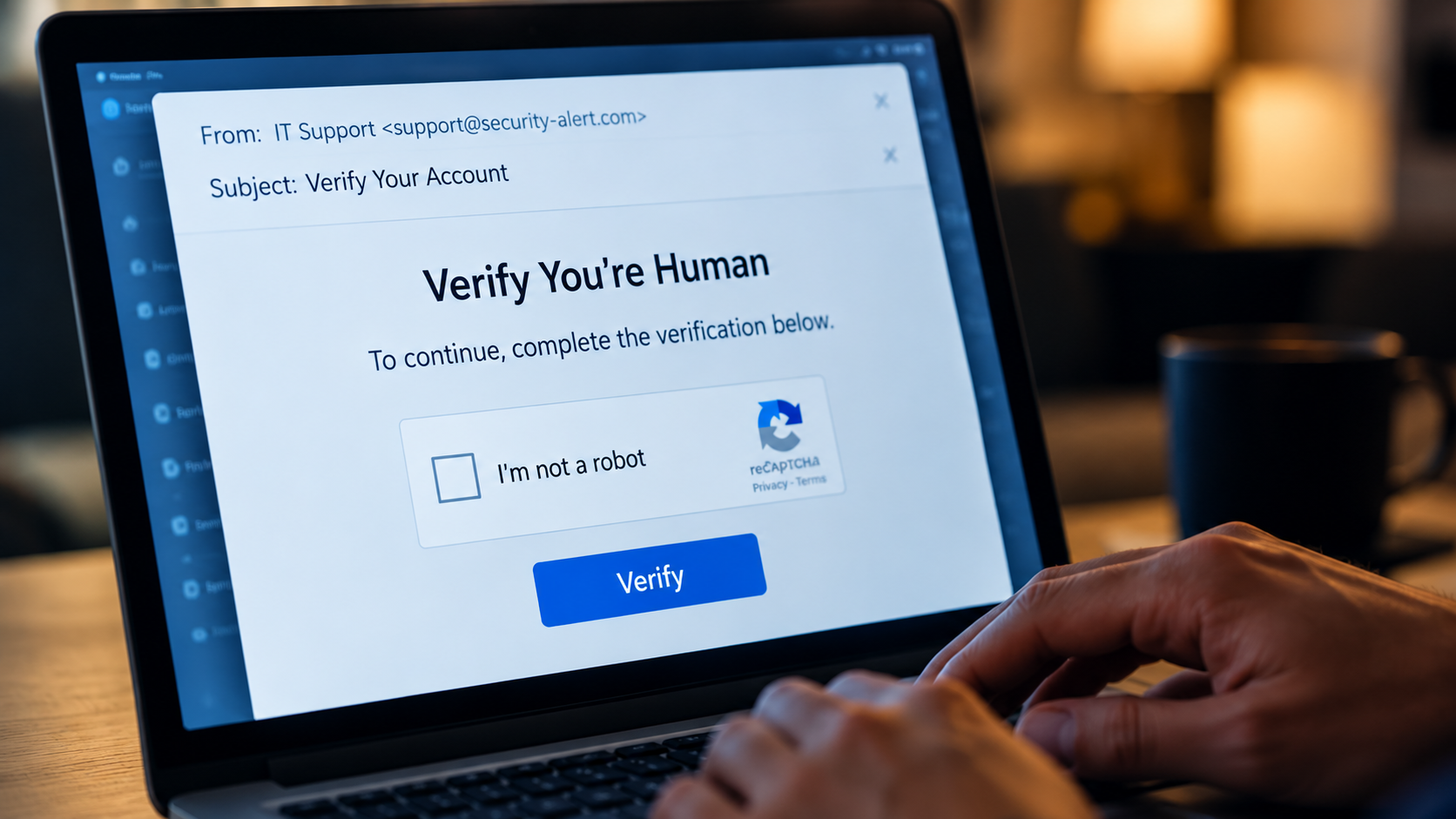
One technique stands out. A ClickFix attack shows a fake error message or “verify you’re human” check, then walks the user through copying a command and pasting it into their own computer. The user runs the attacker’s code themselves, which helps it slip past controls built to stop malicious downloads.
Microsoft Defender observed ClickFix-style commands executed on more than 1.1 million unique devices between February and early May 2026, which Microsoft describes as roughly an eightfold increase. We covered this in week 2 of Tech Bytes, and the lesson holds: treat any website that tells you to open Run, Terminal, or PowerShell and paste a command as a major warning sign.
2. Identity is where the fight happens, and phishing-resistant MFA is the first fix
Microsoft calls identity the primary control plane for defense, and the 2026 report extends that to non-human identities such as applications, service accounts, and AI agents. The report’s diagnosis is blunt: “Attackers consistently take advantage of unnecessary privileges, persistent access, and weak identity governance.”
In mid-sized organizations, that tends to show up in three places:
- Former employee and contractor accounts that were never disabled
- Vendor and integration accounts with far more access than their job requires
- Shared admin logins protected by basic MFA, or by a password alone
Password spray attacks are, per the report, “now standard across both criminal and nation-state playbooks.” Microsoft’s recommended answer is phishing-resistant MFA and passkeys, tiered administration, and enforced privileged access. Text-message codes and push approvals are far better than nothing, but they can still be phished or approved by mistake. Phishing-resistant methods tie the sign-in to your device and the real site, so a code entered on a fake page is useless to an attacker.
3. The patch window shrank to hours
According to Microsoft, the median time from a vulnerability being discovered in the wild to being weaponized has fallen to well below 24 hours. Microsoft also notes that enterprise remediation for critical external vulnerabilities can take 30 to 60 days. Nearly 40,000 CVEs were published in the first half of 2026 alone.
Old vulnerabilities keep doing damage, too. Among detections tied to the five leading CVEs Microsoft analyzed, 58% were associated with CVE-2020-1472, a Windows Netlogon flaw disclosed in 2020 and widely known as Zerologon. (Microsoft notes that detection events do not represent confirmed exploitation.)
Edge devices, the firewalls, VPN appliances, and routers at the boundary of your network, get special attention in the report. Microsoft’s guidance is to prioritize rapid patching of edge devices, enable centralized and high-fidelity logging, and enforce strong authentication.

4. AI raises the stakes on data access
Microsoft reports that 88% of enterprises are already experimenting with AI agents. Microsoft 365 Copilot works within each user’s existing permissions, so years of loose sharing in SharePoint, OneDrive, and Teams become much easier to surface.
The report’s guidance is to reduce oversharing, apply sensitivity-aware and least-privilege access, and govern how data is used across AI, cloud, and applications. We went deeper on agent-specific threats in our recent post on prompt injection and AI agents, and on Copilot rollouts in How to Ensure a Secure Adoption of Microsoft 365 Copilot.
5. Security becomes a continuous discipline
The report calls on defenders to “shift from tool-centric vulnerability management to threat exposure management.” In practice, that means measuring outcomes: how much exposure you reduced, how much of your environment your detection covers, and how quickly you fix what you find.
It also means planning for recovery. Microsoft names resilience as a core outcome of security planning. That covers tested backups, an incident response plan your team has practiced, and the ability to keep operating while an incident is contained.
What this looks like in your industry
The report notes that organizations, “especially small and medium-sized businesses,” remain at high risk of cybercriminal activity. Here is how the findings tend to land in the industries we work with most.
Community association management
Management companies move money for many associations, and a convincing email that changes a vendor’s payment details can redirect a large payment before anyone notices. Call-back verification for payment changes and phishing-resistant sign-in for staff who approve payments close much of that risk.
CPA and accounting firms
Firms hold tax returns, Social Security numbers, and bank details, and tax season brings a predictable wave of client-themed phishing. Phishing-resistant MFA and a cleanup of dormant and shared accounts protect that data at the entry points attackers favor.
Manufacturing
Plants often run hard-to-patch older systems and remote access tools vendors use to support equipment, the same edge devices and external remote services the report flags. Inventory them, put strong authentication in front of them, and segment them from the office network.
Field services
Technicians work from phones and tablets on the road, often with shared logins for dispatch or inventory apps. Managing those devices through Microsoft Intune and giving each person their own account with MFA closes common openings.

Your 90-day checklist
- Require phishing-resistant MFA for admins and anyone who approves payments. Start with passkeys or security keys for those groups, then expand.
- Clean up identities. Disable dormant accounts, review vendor and service accounts, and remove standing admin rights people don’t use daily.
- Brief everyone on ClickFix. One rule covers it: never paste a command from a website, email, or chat into Run, Terminal, or PowerShell.
- Inventory internet-facing systems and edge devices. Set a patch target measured in days.
- Find oversharing before you expand Copilot or agents. Review “anyone” links and broad site permissions in SharePoint and OneDrive.
- Test recovery. Restore something from backup and walk through your incident response plan with the people who would run it.

How Sparta can help
Sparta is a Microsoft Solutions Partner, and we help organizations get more from the Microsoft security tools many of them already license, including Microsoft Entra for identity, Microsoft Defender for threat protection, Intune for device management, and Purview for data protection.
Zero Trust Security
Identity and privileged access management, endpoint and data protection, and threat detection and response, built around verifying every user and device.
Managed Services
Ongoing patching, monitoring, and 24/7/365 support, so closing the patch window doesn’t depend on someone finding spare time.
AI Readiness Assessment
An oversharing and permissions scan with a remediation roadmap, a practical starting point for the data exposure finding above.
Free Infrastructure & Network Analysis
A no-cost, no-obligation review of your IT environment that ends with a detailed written report of findings, a practical baseline before you prioritize the steps in this post.
Get started
Cybersecurity Awareness Month ends October 31, and attackers don’t keep a calendar. If you want to know which of these risks deserves attention first in your environment, talk with Sparta about your current security priorities and next steps.
FAQ
What is the Microsoft Digital Defense Report?
It is Microsoft’s annual report on the global threat landscape. The 2026 edition was published October 1, 2026, and covers July 2025 through June 2026.
What is a ClickFix attack?
A social engineering technique that uses a fake error or CAPTCHA to trick a user into copying and running a malicious command on their own device.
What is phishing-resistant MFA?
Sign-in methods such as passkeys, FIDO2 security keys, and Windows Hello for Business. They are bound to your device and the legitimate site, so a fake login page can’t capture and reuse them. Sparta Services helps organizations roll these methods out through Microsoft Entra, starting with admins and the people who approve payments.
Where should a mid-sized organization start?
With identity. Phishing-resistant MFA for high-risk users and a cleanup of dormant and over-permissioned accounts address the top initial access paths in the report. If you want a baseline first, Sparta Services’ free infrastructure and network analysis ends with a written report of findings, or you can talk with our team about your security priorities.

Dave Galy
Dave Galy is the founder and CEO of Sparta Services