
If you’ve tried Copilot and felt underwhelmed by the results, it’s easy to assume the tool is the problem. Sometimes it hallucinates. Other times, it produces something generic, off-tone, or simply not what you were expecting.
In our recent webinar, we explored how prompting directly impacts output quality and how a structured approach can transform Copilot from an inconsistent assistant into a reliable productivity tool. If you want to get more value out of Copilot, it starts with how you communicate with it.
Understanding How Copilot Responds to Prompts
Before improving your results, it’s important to understand how Copilot actually works. Copilot doesn’t “think” or interpret intent the way humans do. It generates responses based on the prompt itself, surrounding context (documents, emails, data), user permissions, and explicit instructions and constraints.
This means Copilot is predicting outputs based on what you tell it and what it has access to. But when prompts are vague or incomplete, it fills in the gaps on its own. That’s where issues like hallucinations or irrelevant outputs come from.
A simple prompt like “summarize this” leaves too much open to interpretation. Who is the summary for? How detailed should it be? What format should it follow?
The 5-Part Copilot Prompt Framework
To consistently get better results, we have a simple, repeatable framework for crafting effective prompts:
- Context/Role: Define who Copilot should act as. This sets tone, perspective, and depth.
- Logic/Task: Clearly explain what you want Copilot to do and why.
- Expectation: Specify the format, level of detail, and scope.
- Authority: Tell Copilot where to pull information from. This is especially important in Microsoft 365 environments to ensure outputs are grounded in trusted sources.
- Result Expectation: Define what success looks like.
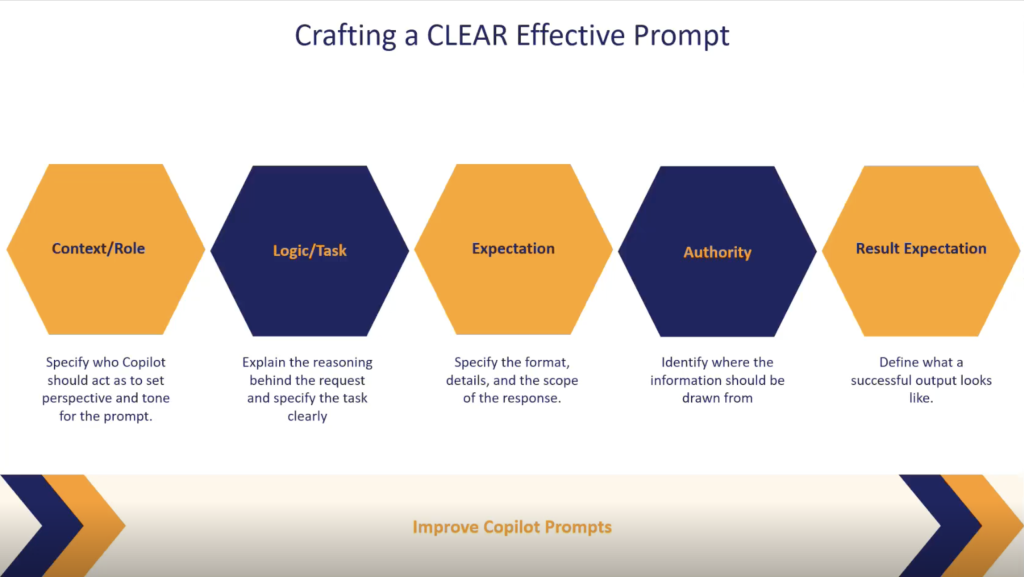
When all five elements are clear, Copilot doesn’t have to guess. It can focus on executing the task, which leads to more accurate, relevant, and usable outputs.
Common Copilot Prompt Mistakes to Avoid
Even with a powerful tool like Copilot, a few common mistakes can significantly reduce effectiveness:
- Vague Prompts: Requests like “improve this” or “explain this” lack direction. Copilot fills in the gaps, often leading to generic outputs.
- Unspecified Audience: If you don’t define the audience, Copilot doesn’t know whether to write for executives, technical teams, or clients, resulting in mismatched tone and detail.
- Multiple Tasks in One Prompt: Combining too many requests at once creates shallow results. A better approach is to break tasks into steps and refine iteratively.
- Assumed Context: Copilot doesn’t know your brand voice, internal terminology, or business context unless you explicitly tell it. Without guidance, outputs can sound off-brand or inconsistent.
A useful rule of thumb is if a human would ask a follow-up question, Copilot will guess instead.
Copilot Tips: Understanding Limitations
While it might be tempting to leave everything to AI, Copilot should be treated as a drafting and productivity assistant rather than a decision-maker. Every output should be reviewed, validated, and refined by a human before being used in real-world scenarios. It cannot replace human judgment or make informed business decisions, as it may still rely on incomplete context and make unsupported assumptions.
Why Your Microsoft Environment Impacts Copilot Results
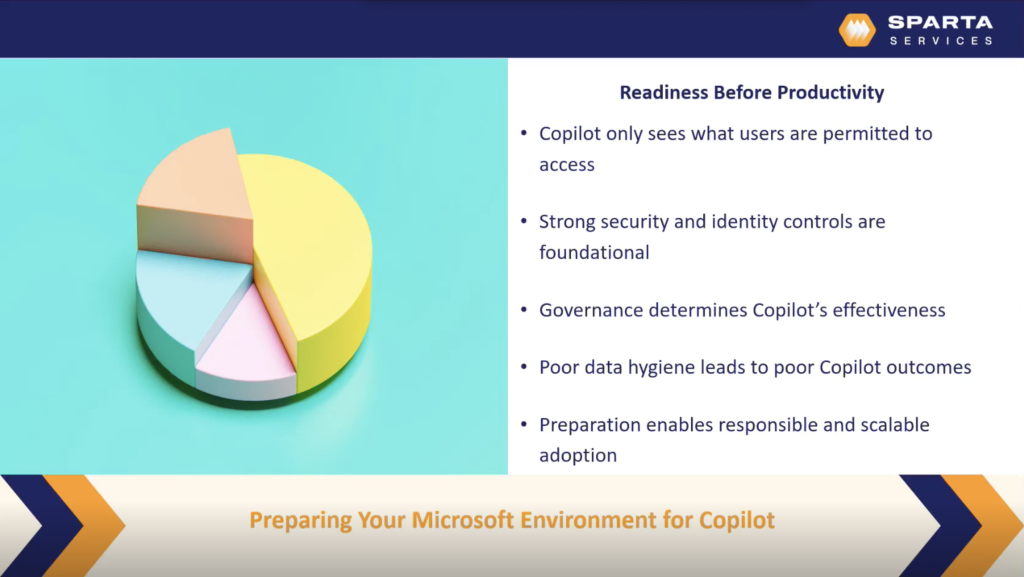
Copilot’s effectiveness doesn’t just depend on prompts, it also depends on the environment it operates in. Copilot only accesses data that users already have permission to see, which means the quality and structure of your environment directly influence the outputs you get. Poor data governance can unintentionally expose sensitive information, while disorganized or outdated content can lead to inaccurate or misleading results.
To use Copilot responsibly and effectively, organizations need to prioritize strong security and access controls, establish clear governance policies, and maintain high data quality across their systems. When these elements are in place, Copilot can produce more reliable, relevant, and trustworthy outputs.
Increase Productivity with the Effective Copilot Prompt Tips
How effectively you prompt, and how well your Microsoft environment is structured, are the foundation of accurate Copilot results. With the right approach, this tool can accelerate manual work, allowing your team to focus on higher-value tasks.
If you want to go deeper, our webinar covers:
- Advanced Copilot prompting techniques, including iterative prompting and assumption validation
- A live demo of using Copilot in Excel to clean, analyze, and visualize data
- Best practices for Copilot security, governance, and deployment
Watch the on-demand webinar to see these concepts in action and start getting more value from Copilot.


Dave Galy
Dave Galy is the founder and CEO of Sparta Services